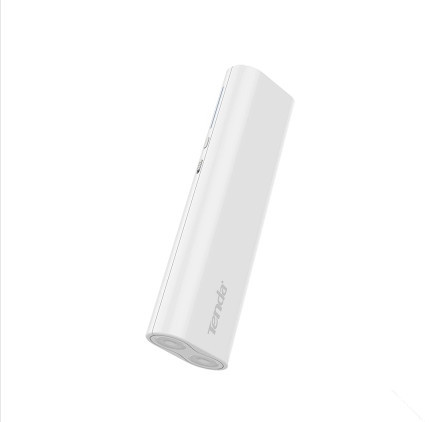
Tenda 4G301 Review

Description:

      Tenda 4G301 is mid range consumer grade pocket router. Also it can act as a power bank.
It has four different modes as mentioned in specification. For complete specification you can visit Official Tenda.

Review:

      I am reviewing this product after using it hardly for 2 Months.

General:

    Tenda being a chinese manufacturer I am very surprised  that it has good build quality. But the is not fully comfortable. It also has some unsatisfied things into it. It come with only pure white color and glossy finish. Due to this even for fair usage your product gets scratched and dirty. There is no grip for placing it on the surface. The battery LED has abnormal behavior some times. Battery backup lasts more than 6 hrs but manufacturer claims for 15 hrs which is ridiculous. It has pleasant and neat interface for configuration purpose. While using  in 3G/4G router mode the dongle has to be removed to completely stop the router. And the very important thing to notice is it has non removable battery.

Let me give crisp points:


Pros:


  • Good batter backup(Approx 6 hrs).
  • Works with most of the dongles(Even not mentioned in compatibility list).
  • It also acts as a power bank.
  • Has LAN/WAN port.
  • Has batter level indicator.
  • Reasonable price.
  • compact design.  


Cons:

  • Glossy finish(Prone to scratch).
  • No grip to place on surface(Tip: Just paste rubber material down).
  • Power adapter not included.
  • Power flow to the USB port cannot be stopped.(Unless unplugged)
  • Less WI-FI range.(Not Very Bad)
  • Non removable battery.
  • Inconvenience in design.


Verdict:

    When comparing with the other products in market this look to be great for a price of around Rs.2000/-. Even though it has several issues still manufacturers promise for 3 years warranty. When comparing with price and performance ratio it stand ahead. So I recommend this product. I enjoy using this product. For any queries please comment below.


Comments

Popular posts from this blog

Blogger.com VS Wordpress.com

Important : Here we compared Wordpress.com and not Wordpress.org Introduction:      First speaking of blogger. It was developed in Pyra labs then later acquired by Internet giant Google. This is completely free blogging platform written in Python. It integrates with most of google services. I am using blogger for the past two years. It is very compact and comfortable.      After speaking about Wordpress. It is developed by Automattic,Inc powered by opensource CMS(Content Management System) Wordpress written in php. It has very fine features such as landing page, sliders, etc. This is also a free platform but you have an option to get premium service too. I think this intro is good enough. Now let compare their features. Blogger Features: Just one google account is good enough to do anything. Integrates into your Gdrive, Photos,Google+. E-mail feeds are very easy to setup with Google owned Feed Burner service. Simplified user interface. ...

2-Dimensional Array with Dynamic Rows and Columns.

In Programming many times we have to store and work  with the data. But choosing the right way of storing is important. Array is one of the most simple and effective way of storing list of data.Now we have to multiple array of data. Ohh! that sounds easy we can use 2 Dimensional Array. I agree 2 Dimensional array is suitable but I have arrays of variable lengths. So simply creating 2-D Array will not be efficient because I have to specify the column size as the highest of my arrays. So there will be lot of unused space. The good solution can be Dynamic 2D Array with variable columns. Also Array of vectors can also be used. But we are not discussing about STL. Algorithm: Create a ptr to ptr to ptr with the name of your 2D Array to hold the Array of Pointers. Now create an Array of pointers depending on the no of rows and store the base address on the ptr to ptr. For every Row allocate the required memory and store the address in the array of pointers. You own the 2D...

Pen drive Shortcut Problem

This guide is to recover your pen drive from shortcut into files.       Sometimes when you plug in your pendrive the contents inside your pendrive apperars to be shortcut. This is caused due a virus which cannot be fixed by your antivirus programs.  Be cool it is easy to fix and your files are safe.   Important don't delete those shortcut items.   1.Just find the drive letter assigned to your pen drive.(shown in windows explorer,eg: e: or f: etc)    2.Now open command prompt.(start->run->type cmd)    3.Type  attirib -h -r -s /s /d x:\*.*      Where  x  denotes your drive letter. Replace  x  with appropriate drive letter.    4.Press enter.  Now your shortcuts will be turned into files.  For any queries please comment below.